Spirit & Strengths
Toolbox Techniques

Your spirit and strengths are about who you are, what you're good at and what you want. If you're not sure of these things, it could be affecting your confidence or bringing your mood down.
The tools on this page are designed to help you find yourself again:
Wheel of Life
The Wheel of Life allows you to visualise all the important areas of your life at once and helps you to better understand which of your life areas are flourishing and which ones need more attention.
Rank each part of your life from one (least fulfilled) to ten (most fulfilled) by clicking on the number in this chart.
Consider how yours looks and what you value. What small steps could you take to improve the areas that trouble you the most?
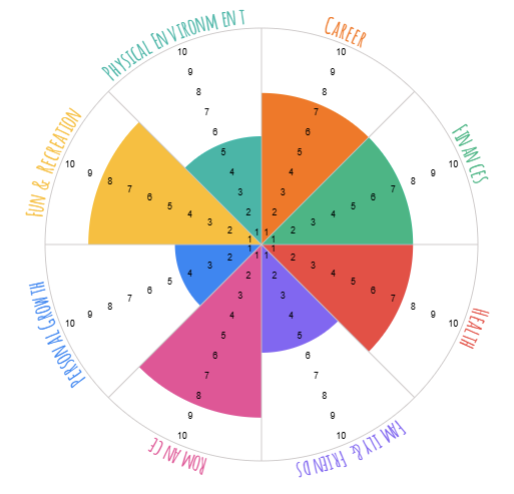
We like this interactive Wheel of Life tool from Anastasia at resouces-of-life.
Preferred Future
By focusing on a preferred future – how you would like things to be, you can focus on the future instead of worrying about the past. One way of imagining is using a Miracle Question.
“Suppose tonight you go to bed and go to sleep as usual... It's quiet. And during the night, a miracle happens. And the problem vanishes. And your worries vanish. However, you’re asleep. So, you don’t know that the miracle has happened. When you wake up tomorrow, how will you be able to tell that the miracle has happened?"
Consider: What would the first signs be that the miracle occurred? What would I be doing differently? What might others see that would tell them that the miracle has happened?"

Imagining your Future
You may prefer to imagine your future by drawing it or using a vision board.
Create an image of a future you with how you want things to be.
You can draw a picture of your preferred future on paper or use the online Sketchpad.
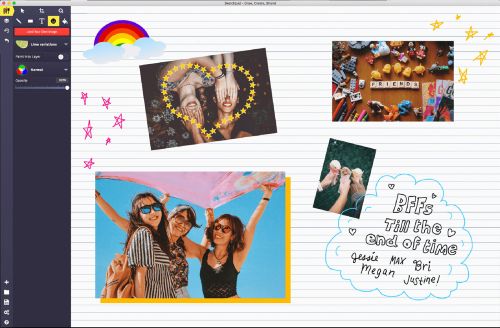
If you don’t like drawing, you could make an online Vision Board. You’ll need a google login.
Then go to File -> Make a copy -> Selected Slide -> Make copy.
You can add your own images or use stock images from google slides.
To do this go to: Insert -> Image -> Stock and Web -> Search